> ## Documentation Index
> Fetch the complete documentation index at: https://docs.yabetoopay.com/llms.txt
> Use this file to discover all available pages before exploring further.
# Activate Your Account and Go Live
> Step-by-step guide to activate your account and switch to production mode on Yabetoo.
To use Yabetoo in **production mode**, you need to activate your account by completing your information and uploading your legal documents.\
Here’s a step-by-step visual guide 👇
***
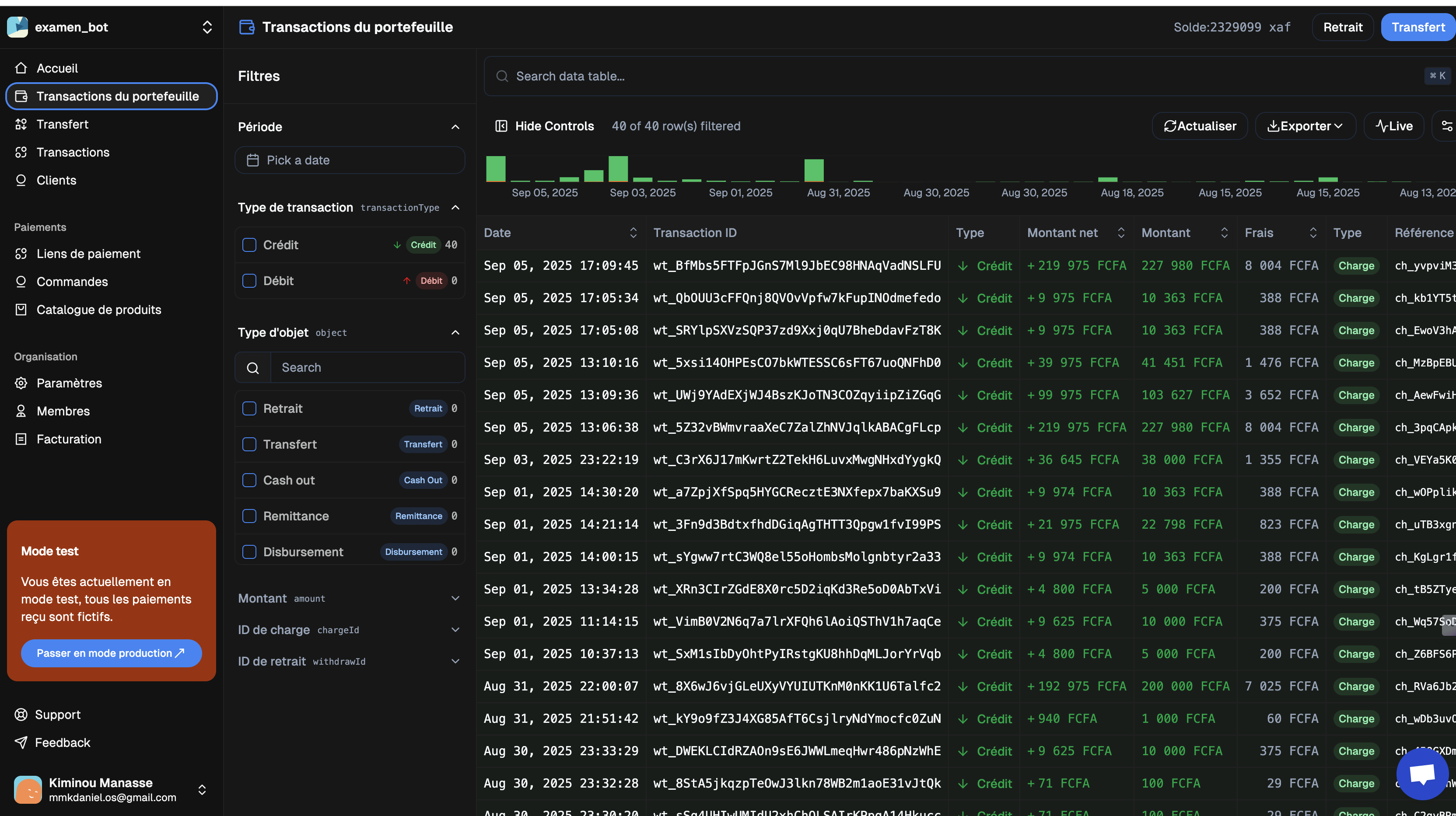
## Step 1: Switch to Production Mode
In your dashboard, click on the **Switch to Production Mode** button located at the bottom of the left sidebar.
 ***
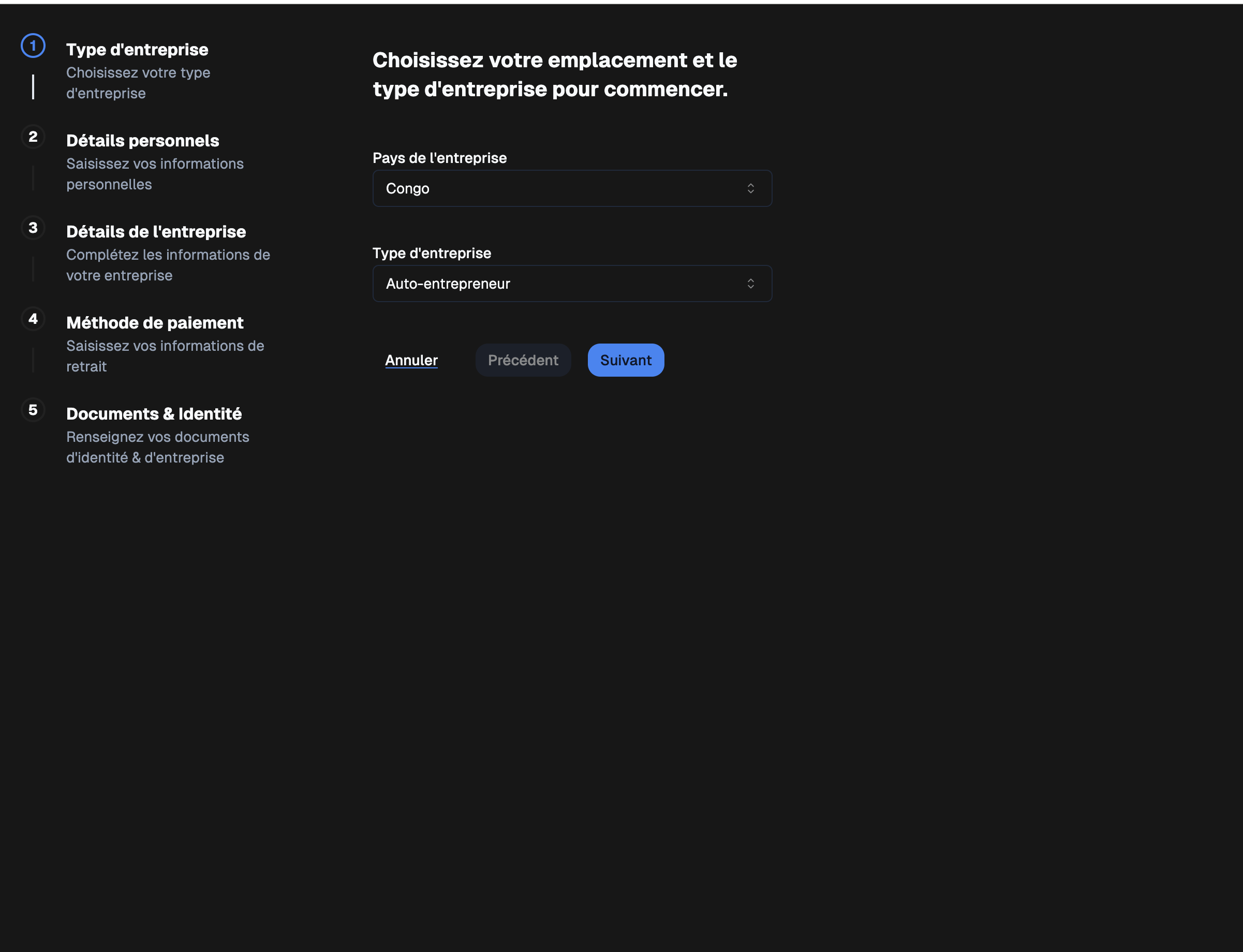
## Step 2: Company Information
Fill in the basic information about your company:
* **Company location**
* **Company type**
***
## Step 2: Company Information
Fill in the basic information about your company:
* **Company location**
* **Company type**
 ***
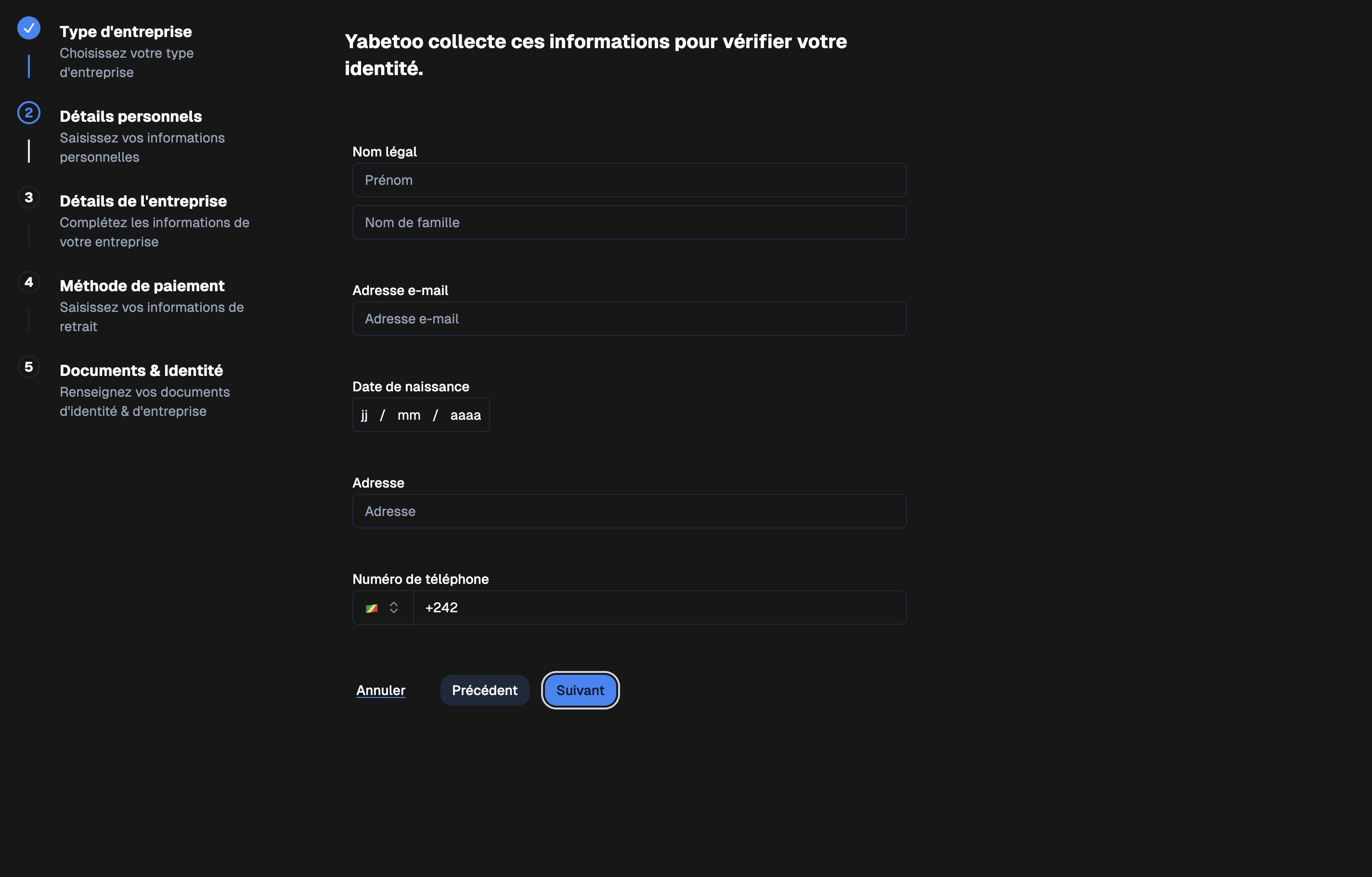
## Step 3: Personal Information
Provide your personal details:
* **Legal name** (e.g., John Doe)
* **Email address**
* **Date of birth**
* **Address**
* **Phone number**
***
## Step 3: Personal Information
Provide your personal details:
* **Legal name** (e.g., John Doe)
* **Email address**
* **Date of birth**
* **Address**
* **Phone number**
 ***
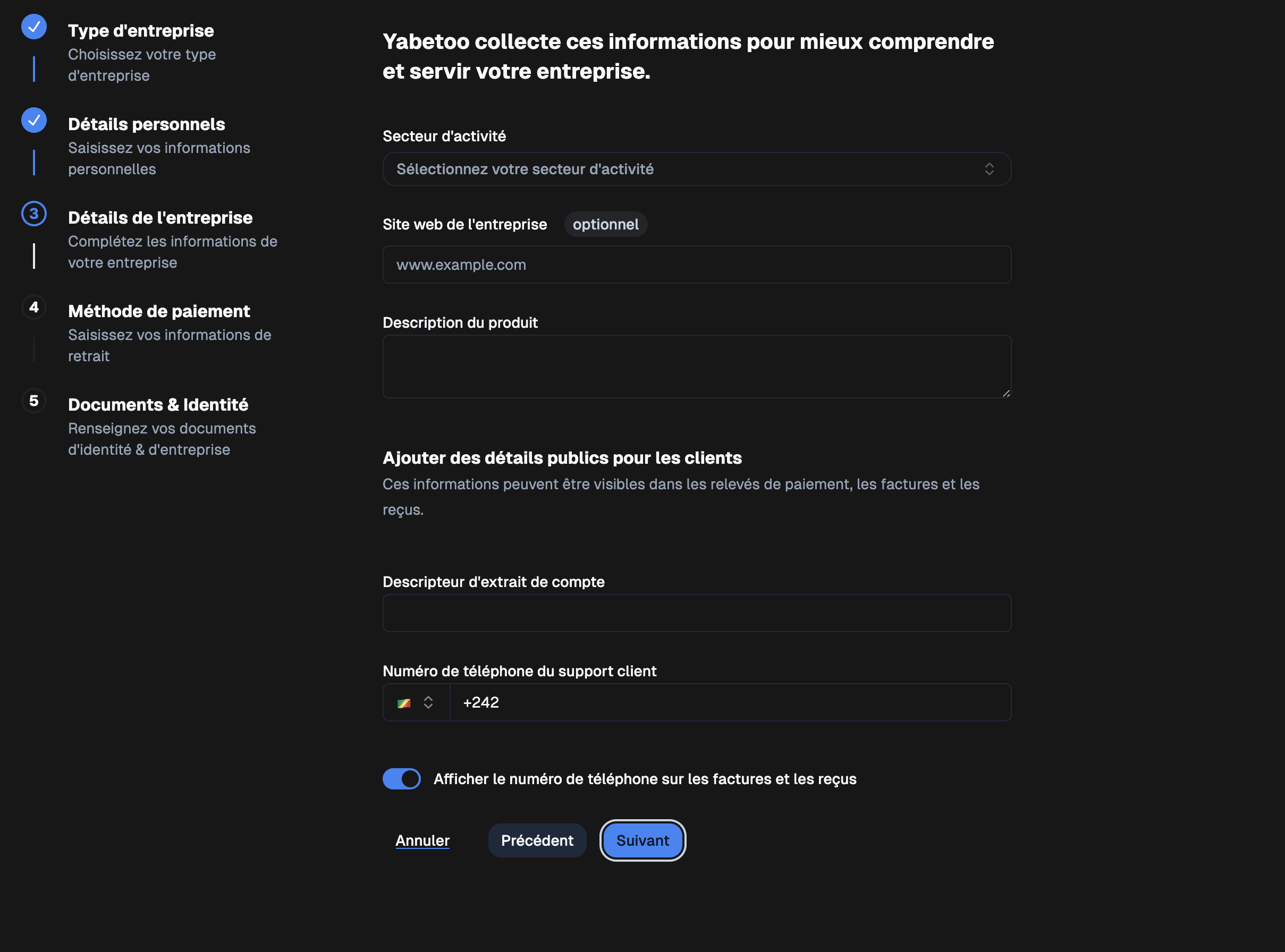
## Step 4: Company Details
Add details about your business:
* **Industry**
* **Company website** (optional)
* **Product description**
* **Bank statement descriptor**
* **Customer support phone number**
* Option: *Display phone number on invoices and receipts*
***
## Step 4: Company Details
Add details about your business:
* **Industry**
* **Company website** (optional)
* **Product description**
* **Bank statement descriptor**
* **Customer support phone number**
* Option: *Display phone number on invoices and receipts*
 ***
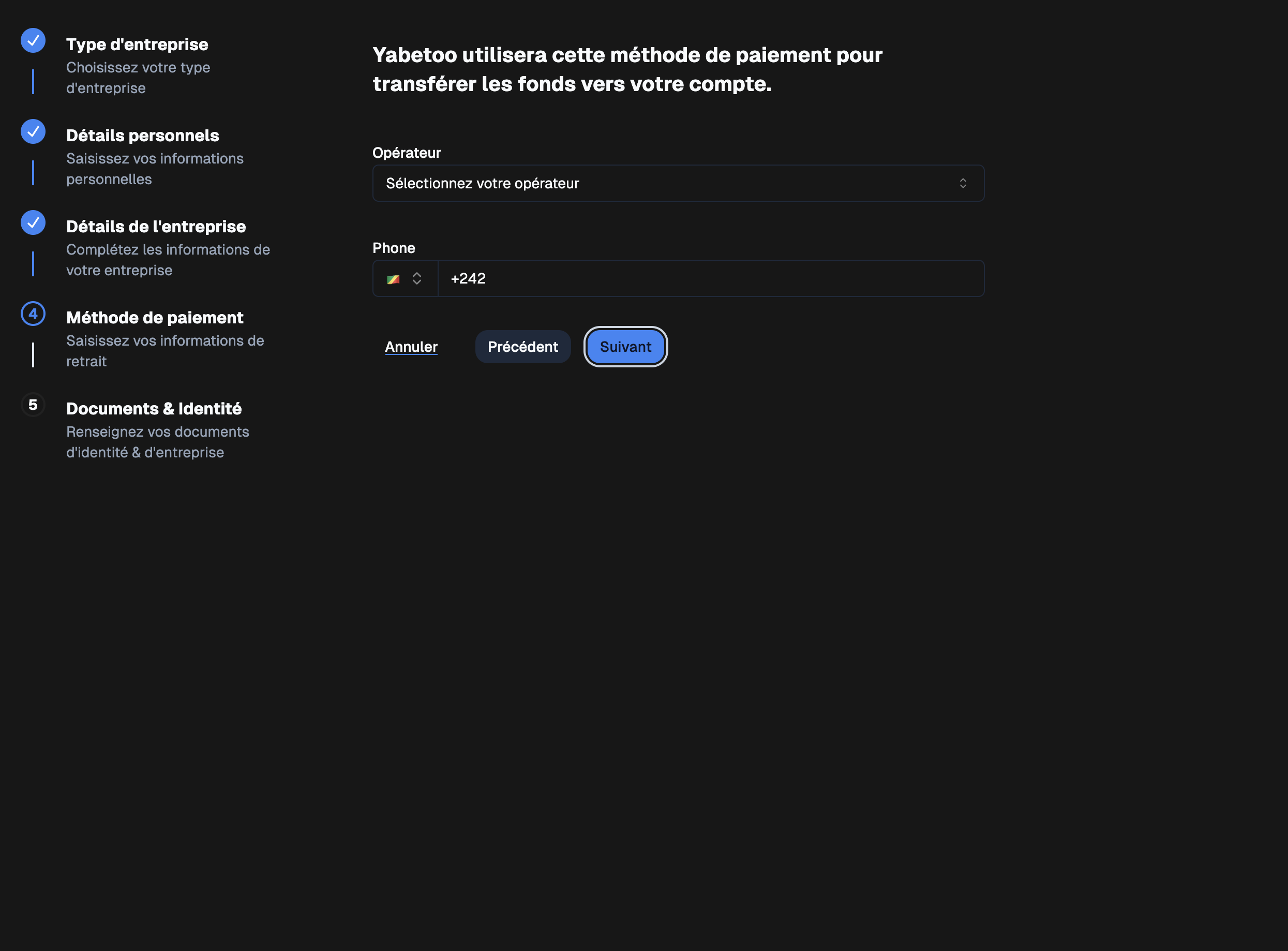
## Step 5: Payment Method
Set up your payment method to receive your funds:
* **Operator** (e.g., MTN, Airtel, Orange…)
* **Associated phone number**
***
## Step 5: Payment Method
Set up your payment method to receive your funds:
* **Operator** (e.g., MTN, Airtel, Orange…)
* **Associated phone number**
 ***
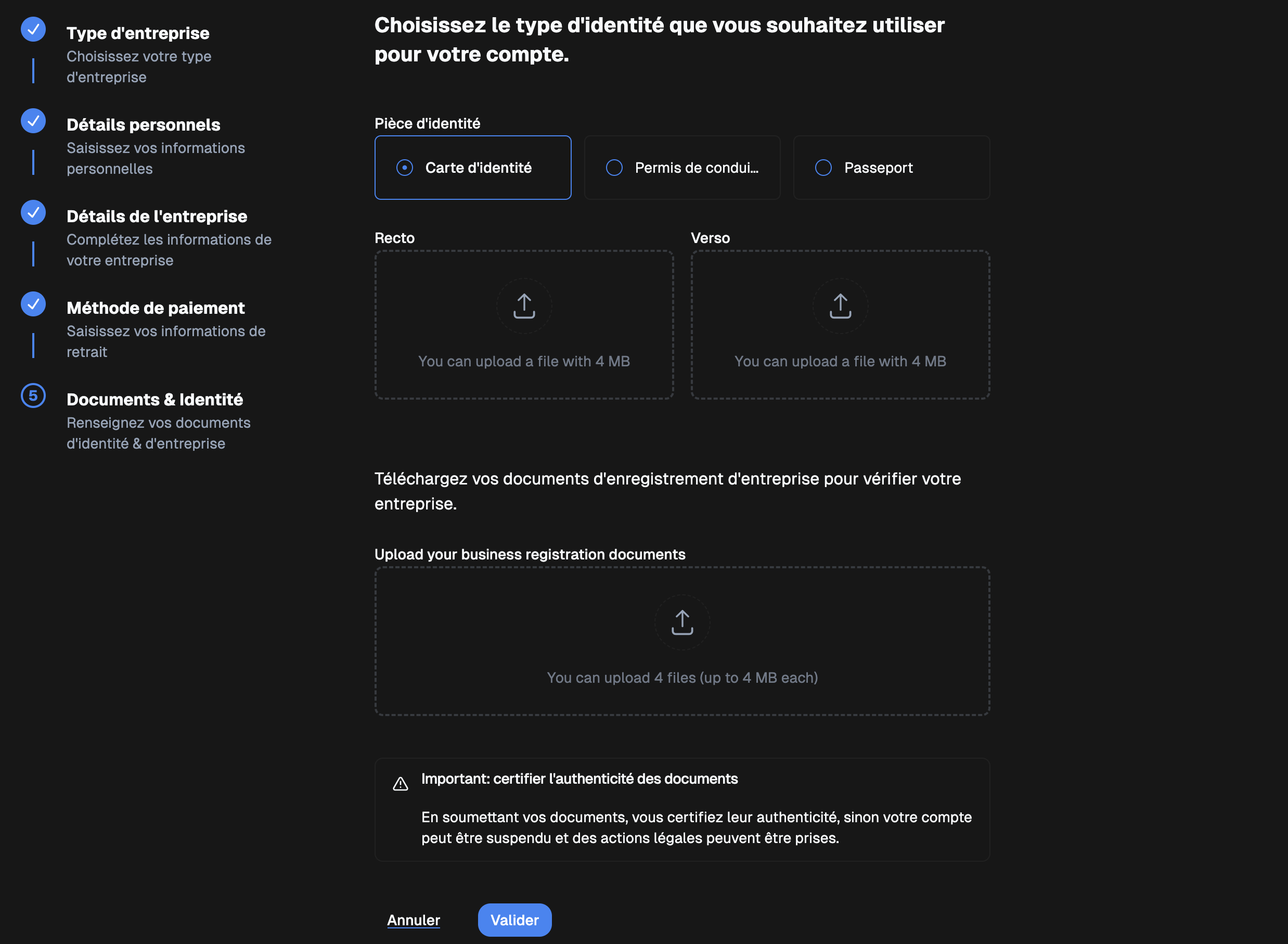
## Step 6: Documents & Identity
Upload your documents for verification:
### Identity document (Front / Back)
* ID card
* Driver’s license
* Passport
### Business registration documents
* Up to 4 files (max 4 MB each)
⚠️ **Important**: By submitting your documents, you certify their authenticity.\
Otherwise, your account may be suspended and legal action may be taken.
***
## Step 6: Documents & Identity
Upload your documents for verification:
### Identity document (Front / Back)
* ID card
* Driver’s license
* Passport
### Business registration documents
* Up to 4 files (max 4 MB each)
⚠️ **Important**: By submitting your documents, you certify their authenticity.\
Otherwise, your account may be suspended and legal action may be taken.
 ***
## Final Step
Once all steps are completed and your documents are submitted:\
✅ Your account will be verified and activated in **production mode**.
***
***
## Final Step
Once all steps are completed and your documents are submitted:\
✅ Your account will be verified and activated in **production mode**.
***