> ## Documentation Index
> Fetch the complete documentation index at: https://docs.yabetoopay.com/llms.txt
> Use this file to discover all available pages before exploring further.
# Create an Account
> Step-by-step guide to create a Yabetoo account and start using the platform.
You can start using your **Yabetoo** account in a test environment as soon as it’s created.\
In the sandbox environment, you can simulate all features without moving real money.
Once your account is created and activated, you’ll be able to:\
✅ Accept payments\
✅ Create additional accounts\
✅ Manage a team
***
## Step 1: Access the Platform
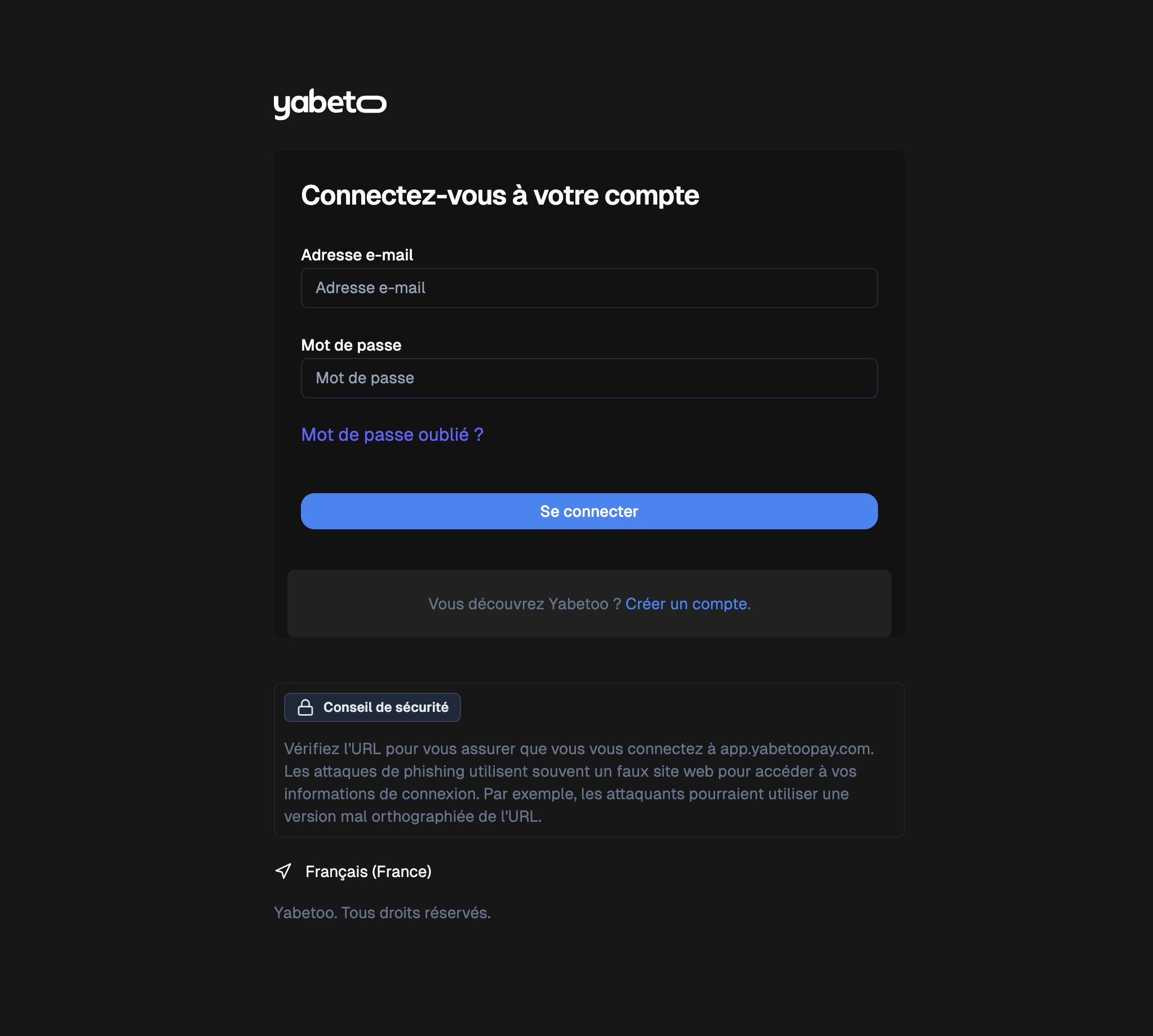
Go to the following URL:\
👉 [https://app.yabetoo.com/login](https://app.yabetoo.com/login)
 ***
## Step 2: Create an Account
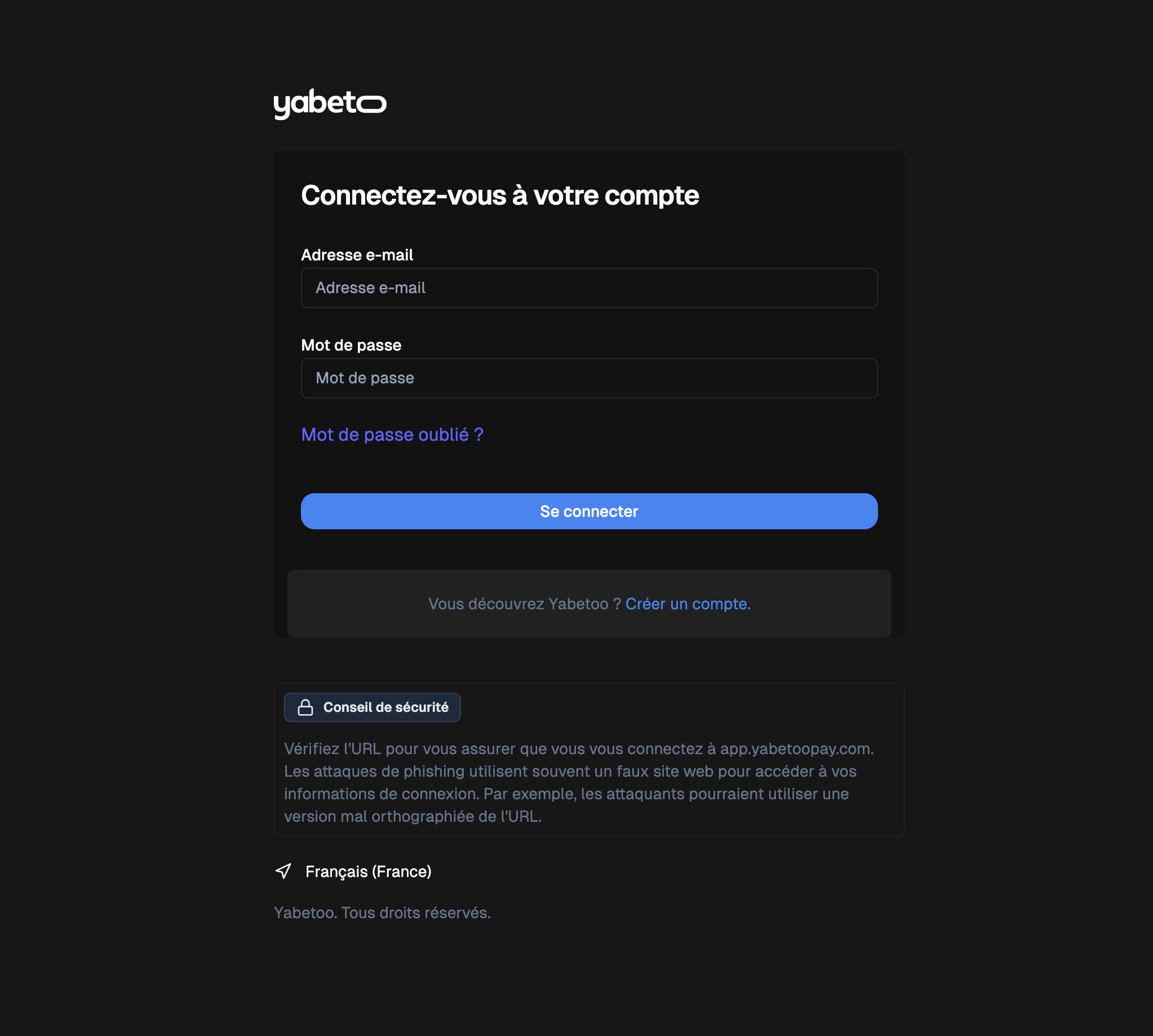
Click on the **Create an account** link at the bottom of the login form.\
You will be redirected to the registration page.
***
## Step 2: Create an Account
Click on the **Create an account** link at the bottom of the login form.\
You will be redirected to the registration page.
 ***
## Step 3: Fill in Your Personal Information
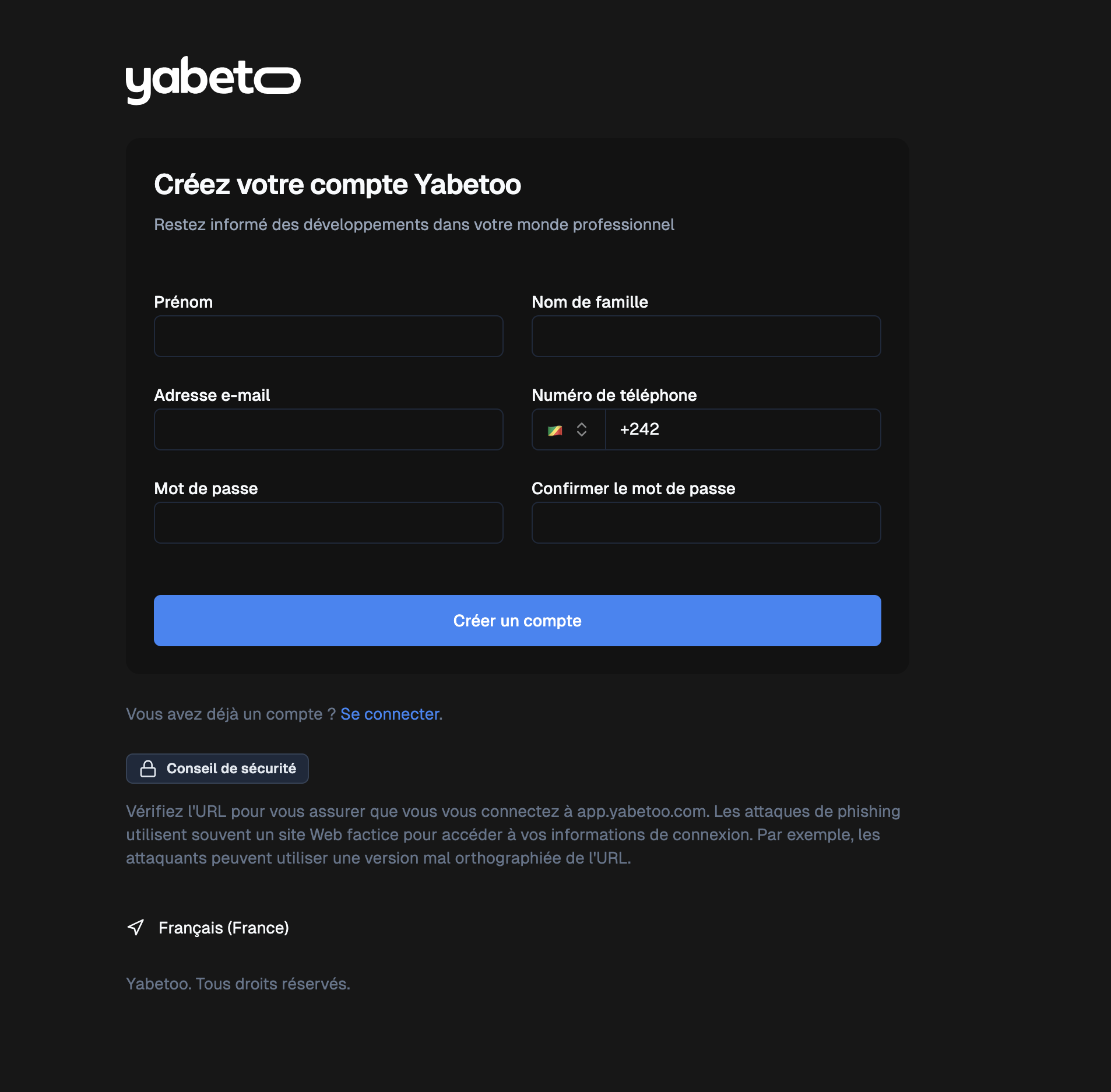
Complete the form with your details:
* **First name**
* **Last name**
* **Email address**
* **Phone number**
* **Password**
* **Confirm password**
Once the form is submitted, your account will be created ✅.\
You will automatically be redirected to the **login page**.
***
## Step 3: Fill in Your Personal Information
Complete the form with your details:
* **First name**
* **Last name**
* **Email address**
* **Phone number**
* **Password**
* **Confirm password**
Once the form is submitted, your account will be created ✅.\
You will automatically be redirected to the **login page**.
 ***
## Step 4: Log in to Your Account
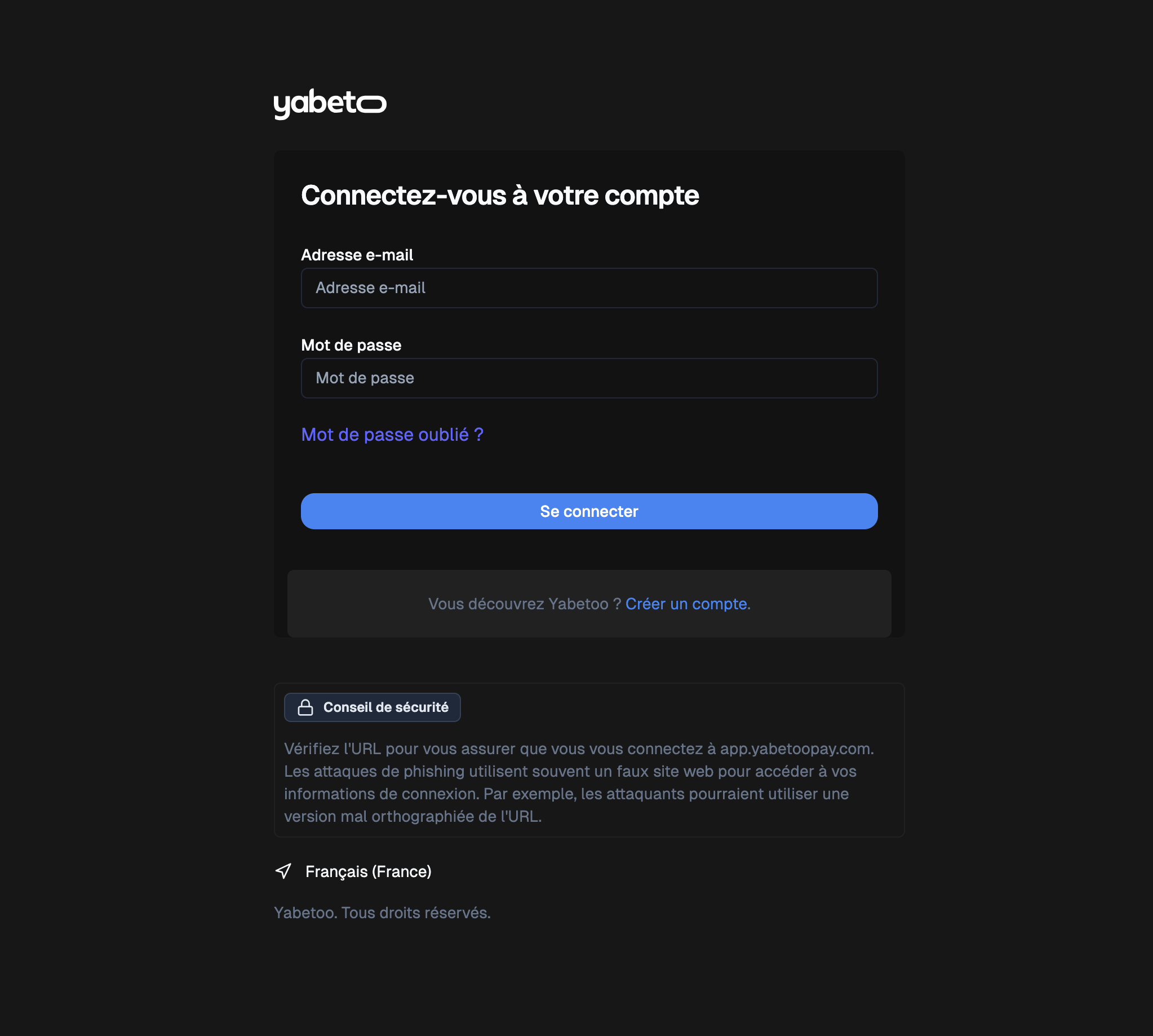
Enter your credentials:
* **Email address**
* **Password**
Then click **Login**.
***
## Step 4: Log in to Your Account
Enter your credentials:
* **Email address**
* **Password**
Then click **Login**.
 ***
## Step 5: Create an Organization and an Account (Store)
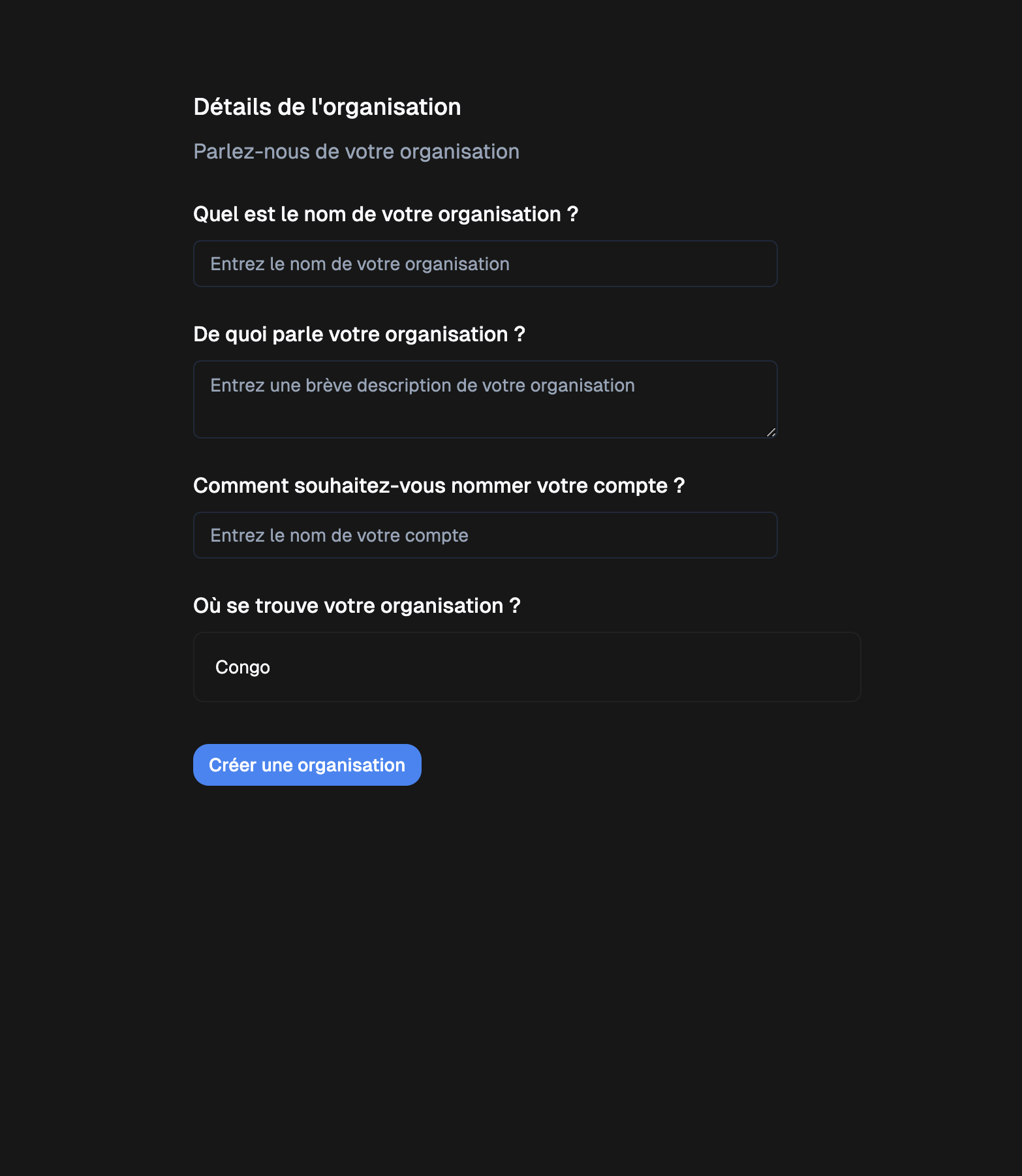
On your first login, you will be asked to create an **organization** and an **account (or store)** in a single form.
Provide the following details:
* **Organization name**
* **Description** (what your organization is about)
* **Account (or store) name** (e.g., Yabetoo Congo Store)
* **Location** (*currently available only for Congo*)
***
## Step 5: Create an Organization and an Account (Store)
On your first login, you will be asked to create an **organization** and an **account (or store)** in a single form.
Provide the following details:
* **Organization name**
* **Description** (what your organization is about)
* **Account (or store) name** (e.g., Yabetoo Congo Store)
* **Location** (*currently available only for Congo*)
 ***
## Final Step
🎉 Congratulations! Your account and organization have been created.\
You can now explore Yabetoo in **test (sandbox) mode**, then follow the [account activation guide](/en/account/activate) to switch to **production mode**.
***
## Next Steps
Learn how to activate your account and go live to start receiving real payments.
Learn how to generate and share your first payment links to quickly collect money from your customers.
***
## Final Step
🎉 Congratulations! Your account and organization have been created.\
You can now explore Yabetoo in **test (sandbox) mode**, then follow the [account activation guide](/en/account/activate) to switch to **production mode**.
***
## Next Steps
Learn how to activate your account and go live to start receiving real payments.
Learn how to generate and share your first payment links to quickly collect money from your customers.