> ## Documentation Index
> Fetch the complete documentation index at: https://docs.yabetoopay.com/llms.txt
> Use this file to discover all available pages before exploring further.
# Overview
## Hosted Checkout Page Overview
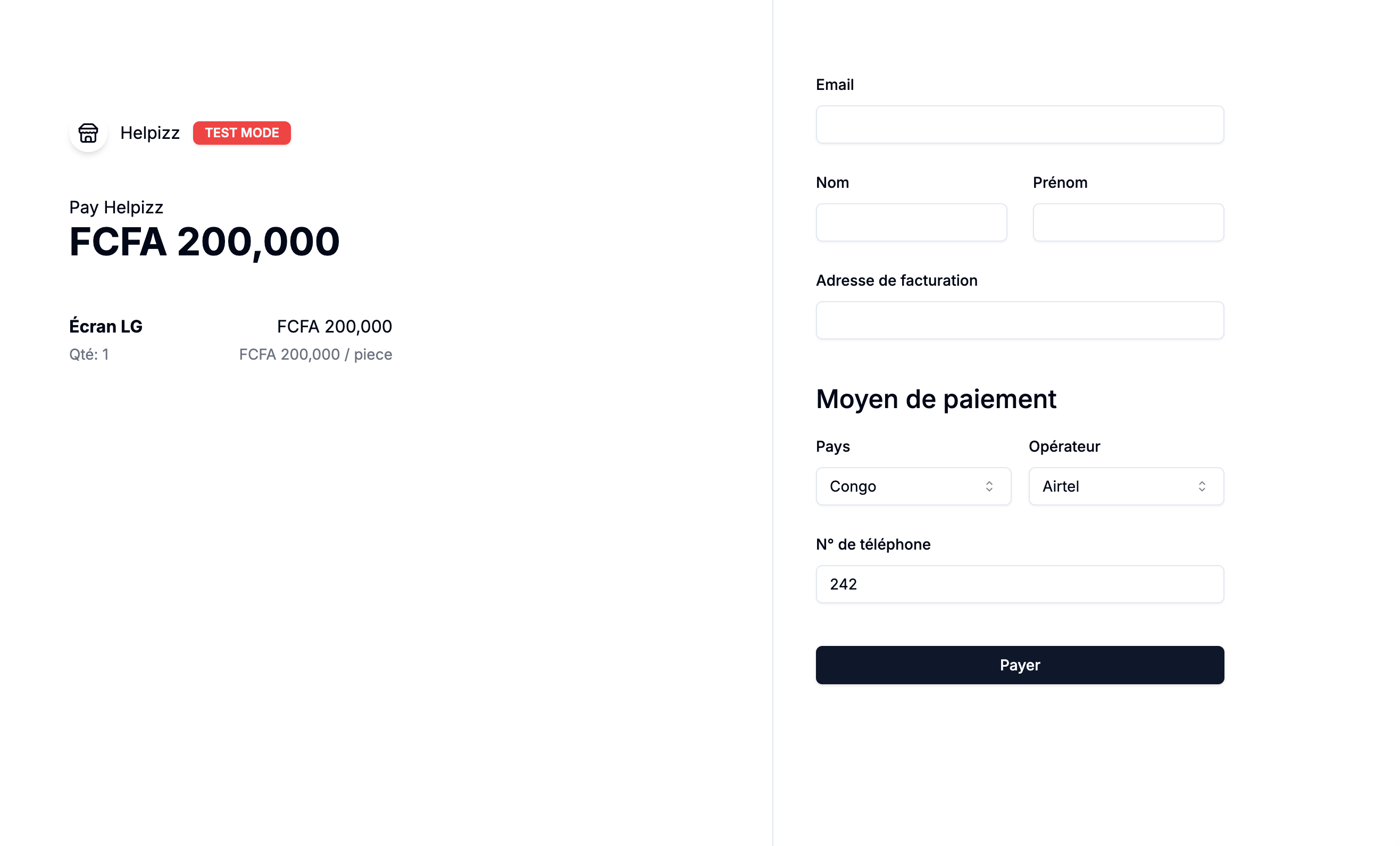
Yabetoo provides a **hosted checkout page** — a secure, easy-to-integrate solution that allows you to accept payments without handling sensitive payment data directly.
Using our **Checkout Sessions**, you can redirect your customers to a professionally designed payment page hosted by Yabetoo, where they can complete their purchase securely. This approach is similar to solutions like Stripe Checkout.
 ### Advantages of Using a Checkout Session
The use of a hosted checkout page offers several advantages for you as a developer or merchant.
* **Security** : Yabetoo manages payment security, allowing you to focus on your application.
* **Compliance** : By using a hosted checkout page, you reduce your PCI compliance burden, as Yabetoo handles sensitive information.
* **User Experience** : The checkout page is optimized for a smooth and fast user experience.
* **Customization** : You can customize the appearance of the checkout page to match your brand.
### Checkout Session Workflow
When you create a session, you send the information about the items, the
total amount, the currency, and the redirect URLs (for success or cancel).
Yabetoo returns a unique URL that you can use to redirect users to the
hosted payment page.
Once the payment is completed with success, the user is redirected to the
URL you specified in successUrl, with the transaction details. If the user
cancels, they will be redirected to the URL defined in cancelUrl.
## Customise checkout
 You
can customize the appearance of the checkout page to match your brand and
design.
You can collect additional information such as the customer's name and email
address.
You can customize the payment flow to suit your needs.
### Use Cases
* **E-commerce**: Accept payments for goods and services.
* **Subscription services**: Manage recurring payments for subscriptions.
* **Charities**: Accept donations and payments for events.
* **Education**: Sell courses and digital products.
* **Business**: Accept payments for services and products.
### Prerequisites
Before using the Yabetoo-hosted checkout page, ensure you have:
* A valid Yabetoo account and API credentials.
* A domain name and SSL certificate for secure payment processing.
* A payment method configured in your Yabetoo account.
### Next Steps
1. [Create a Checkout Session](create)
2. [Integrate the Checkout Session](integrate)
3. [Handle payment events](events)
4. [Test the integration](test)
### Security Considerations
* Always validate and sanitize all user inputs.
* Use HTTPS to secure data transmission.
* Implement proper error handling and logging.
* Regularly update your dependencies and security protocols.
### Support
For assistance, contact our support team at [support@yabetoo.com](mailto:support@yabetoo.com).
### Advantages of Using a Checkout Session
The use of a hosted checkout page offers several advantages for you as a developer or merchant.
* **Security** : Yabetoo manages payment security, allowing you to focus on your application.
* **Compliance** : By using a hosted checkout page, you reduce your PCI compliance burden, as Yabetoo handles sensitive information.
* **User Experience** : The checkout page is optimized for a smooth and fast user experience.
* **Customization** : You can customize the appearance of the checkout page to match your brand.
### Checkout Session Workflow
When you create a session, you send the information about the items, the
total amount, the currency, and the redirect URLs (for success or cancel).
Yabetoo returns a unique URL that you can use to redirect users to the
hosted payment page.
Once the payment is completed with success, the user is redirected to the
URL you specified in successUrl, with the transaction details. If the user
cancels, they will be redirected to the URL defined in cancelUrl.
## Customise checkout
 You
can customize the appearance of the checkout page to match your brand and
design.
You can collect additional information such as the customer's name and email
address.
You can customize the payment flow to suit your needs.
### Use Cases
* **E-commerce**: Accept payments for goods and services.
* **Subscription services**: Manage recurring payments for subscriptions.
* **Charities**: Accept donations and payments for events.
* **Education**: Sell courses and digital products.
* **Business**: Accept payments for services and products.
### Prerequisites
Before using the Yabetoo-hosted checkout page, ensure you have:
* A valid Yabetoo account and API credentials.
* A domain name and SSL certificate for secure payment processing.
* A payment method configured in your Yabetoo account.
### Next Steps
1. [Create a Checkout Session](create)
2. [Integrate the Checkout Session](integrate)
3. [Handle payment events](events)
4. [Test the integration](test)
### Security Considerations
* Always validate and sanitize all user inputs.
* Use HTTPS to secure data transmission.
* Implement proper error handling and logging.
* Regularly update your dependencies and security protocols.
### Support
For assistance, contact our support team at [support@yabetoo.com](mailto:support@yabetoo.com).